Searching and Sorting Contacts in the Database
Last updated: February 26, 2026
Find, organize, and link client contacts in Spott using search, filters, sorting, and record linking.
You can quickly navigate to this page using G then O.
Learn more about all shortcuts here.
1⃣ Open the Client Contacts view
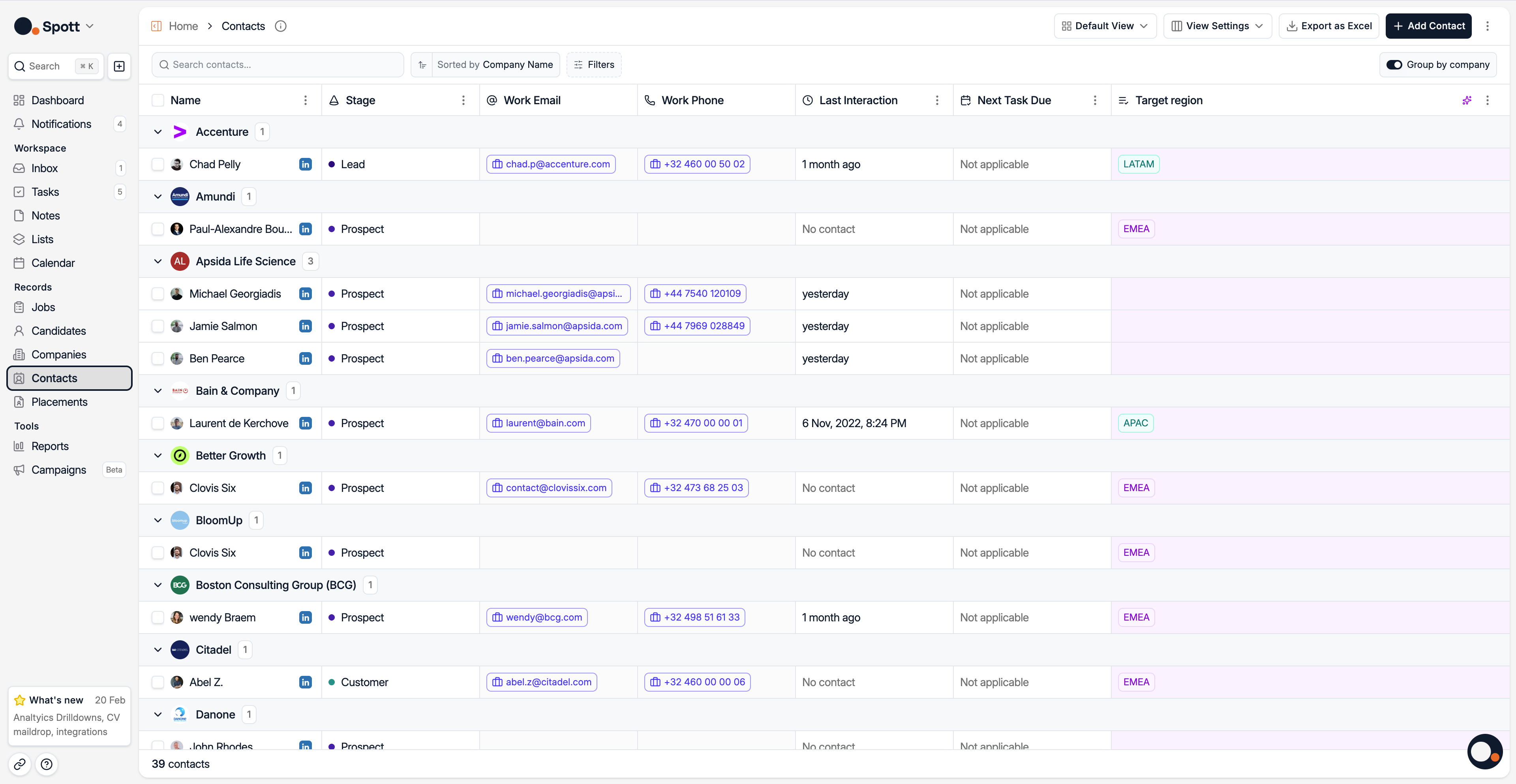
From the left-hand navigation bar, select Contacts to open your full contact list.
2⃣ Search with keywords
Use the search bar at the top of the Contacts view to quickly find contacts by text that appears in their profile fields — such as first name, last name, company, or stage.
3⃣ Filter by category
Open the Filters panel. You’ll see three main categories, each with multiple subfilters.
Contact Filters
First Name
Last Name
Last Interaction With
Active
Last Interaction Date
Last Activity Date
Stage
Location
Department
Main Contact
Job Title
Company Filters
Company (client) name
Company Location
Custom Filters
Filter Contacts using Attributes you have created yourself from the Settings
You can combine multiple subfilters from Contact and Company to narrow your results to the exact set of contacts you want to view.
4⃣ Sort your results
Click the Sort option to arrange your contact list by the field of your choice.
Sorting options include:
Start Date
End Date
First Name
Last Name
Last Interaction Date
Last Activity Date
Company Name
Next Task Due At
Target Region
Sorting can be applied together with filters to quickly focus on the most relevant contacts.
Filters you apply appear as chips at the top of the list. Remove any filter at any time by clicking the “X” on its chip to broaden your results again.