Organizing Your Company Database
Last updated: February 26, 2026
Learn how to customize, filter, and sort your company records in Spott for effortless organization.
You can quickly navigate to this page using G then M.
Learn more about all shortcuts here.
The Companies view in Spott is fully customizable, giving you control over what information you see, how it’s displayed, and how it’s organized. This helps you keep your database clean, relevant, and easy to work with.
Customizing columns
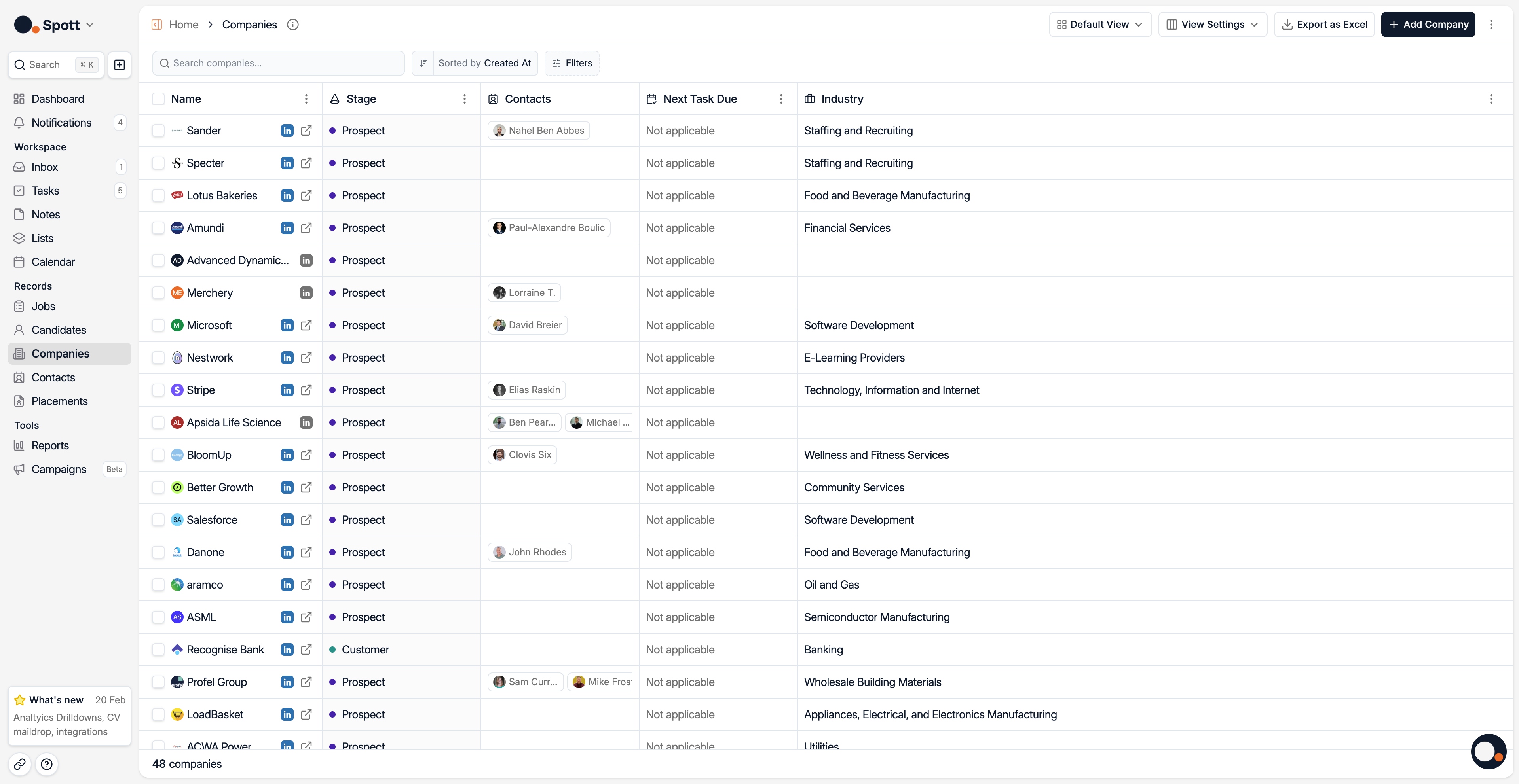
Your client list is displayed in a table format, with each column representing an attribute such as Name, Stage, Contacts, Size, Industry, Domain, or Description. You can:
Add Columns for attributes that are important to your workflow
Hit View Settings in the top right corner
Click Add Column
Select an existing attributes you want to add to the view
Hide columns you don’t need at the moment. For that:
Hit View Settings in the top right corner
Click on the 3 dots next to the column you want to hide
Remove
Reorder columns by dragging them left or right
This flexibility lets you tailor the view for your exact needs.
You can create custom company fields from the Settings
Filtering your data
Filters are grouped into two main categories:
1. Company filters
Company Name / Description – Search for matching keywords
Contact – Narrow results to clients linked to specific contacts
Created At – Find clients created within a certain time frame
Domain – Filter by company website
Industry – Focus on companies in a specific sector
Location – Find clients within a radius of a specific location
Next Task Due At – Filter based on upcoming tasks or follow-ups
Size – Filter based on the number of Employees
Stage – Track if a client is a Lead, Prospect, or another stage
Use these filters to quickly find the clients that matter most for your current task.
2. Custom Attributes
Filter Jobs using Attributes you have created yourself from the Settings
Sorting your records
Sorting allows you to order your list based on key attributes such as:
Created At, newest or oldest first
Modified At
Company Name
Domain
Next Task Due At
Sector
Relationship Strength, based on past interactions
Sorting is especially useful for prioritizing follow-ups or reviewing recent activity.
Combine filtering and sorting for the most precise view, for example, see only Leads in the Tech industry, sorted by the most recently modified.
A well-organized client database saves time and ensures you never miss important follow-ups. Regularly review your columns, filters, and sorting preferences to keep your workflow efficient.