Auto-updating Profiles
Last updated: February 26, 2026
Automatically refresh Candidate profiles by regularly checking LinkedIn for changes, while controlling update frequency and credit usage.
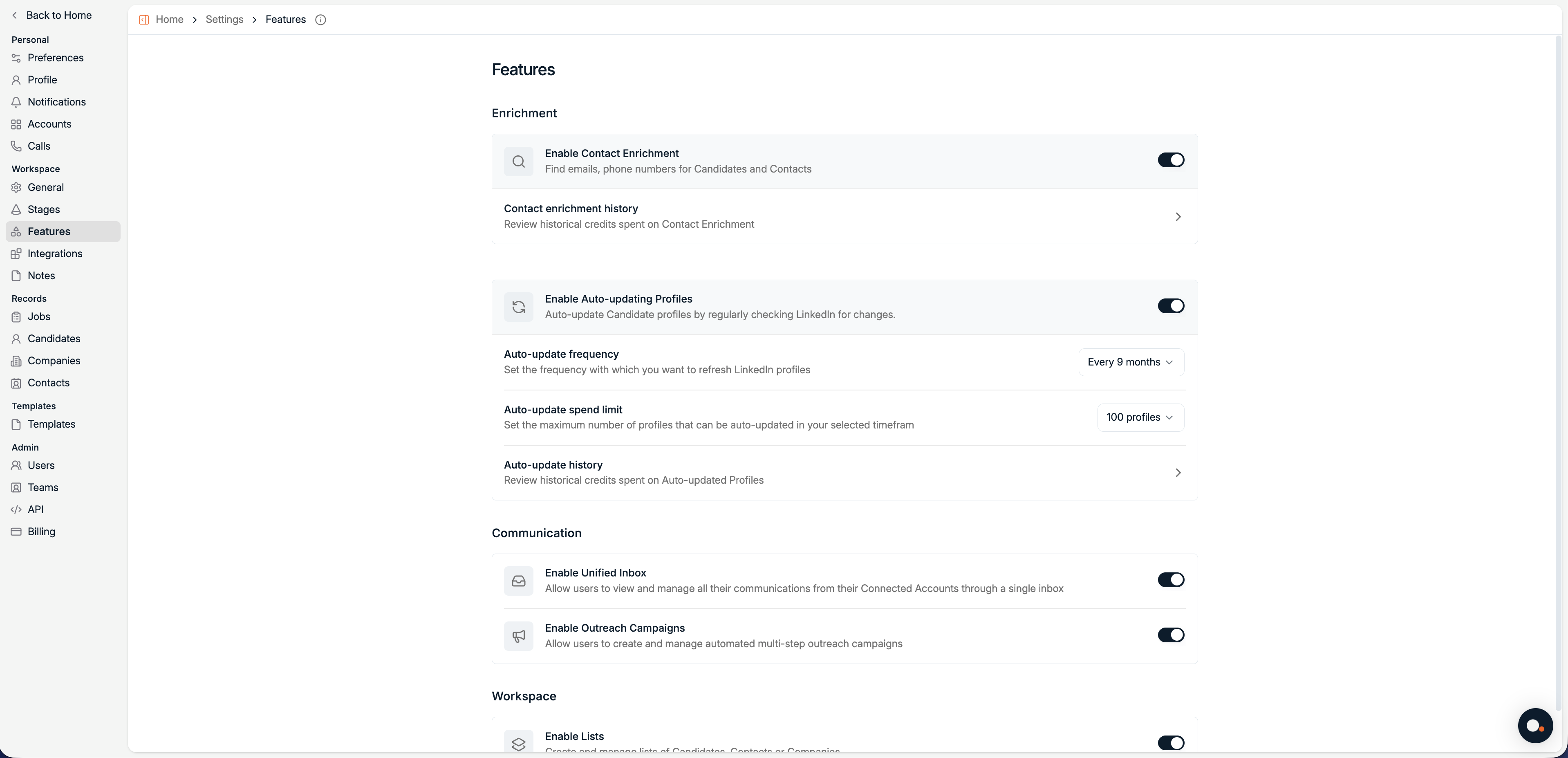
Auto-updating Profiles is managed from Settings, Features. It keeps Candidate profiles up to date by periodically checking LinkedIn for changes.
Auto-updating Profiles helps you keep Candidate data fresh without manual profile refreshes. You remain in full control of how often profiles are checked, how many profiles can be updated, and how credits are spent.
Auto-updating costs 5 credits per profile. Credits are only deducted when an update is successful.
Enable Auto-updating Profiles
Open Features in Settings
Navigate to Settings → Features.
Enable Auto-updating Profiles
Toggle Enable Auto-updating Profiles on to allow Spott to regularly check LinkedIn for profile changes.
Configure auto-updating
Auto-update frequency
Set how often Spott should refresh LinkedIn profiles.
Available options:
Every month
Every 2 months
Every 3 months
Every 6 months
Every 9 months
Every year
Auto-update spend limit
Set the maximum number of profiles that can be successfully auto-updated within the selected timeframe.
Available options:
100 profiles
200 profiles
500 profiles
1,000 profiles
2,000 profiles
5,000 profiles
10,000 profiles
50,000 profiles
The spend limit helps you control credit usage by limiting how many profiles can be updated per period.
Auto-update history
Click Auto-update history to review how auto-updating is performing and how credits are being used.
On this page you can see:
Total Auto-Updates for the current month
Success Rate, showing how many updates were successful
Remaining Credits available for auto-updating
Managing credits
If you need more enrichment credits, you can purchase them from the Billing page.
Go to Settings → Billing.
Credits are shared across different features, enrichment and auto-update, and tracked centrally in your workspace.