Managing Access
Last updated: February 27, 2026
Learn how to manage access and ensure security through role based access controls.
Roles help ensure users only access features necessary for their job.
Create Roles
In Spott, go to Settings.
Scroll to the Admin section and click Security.
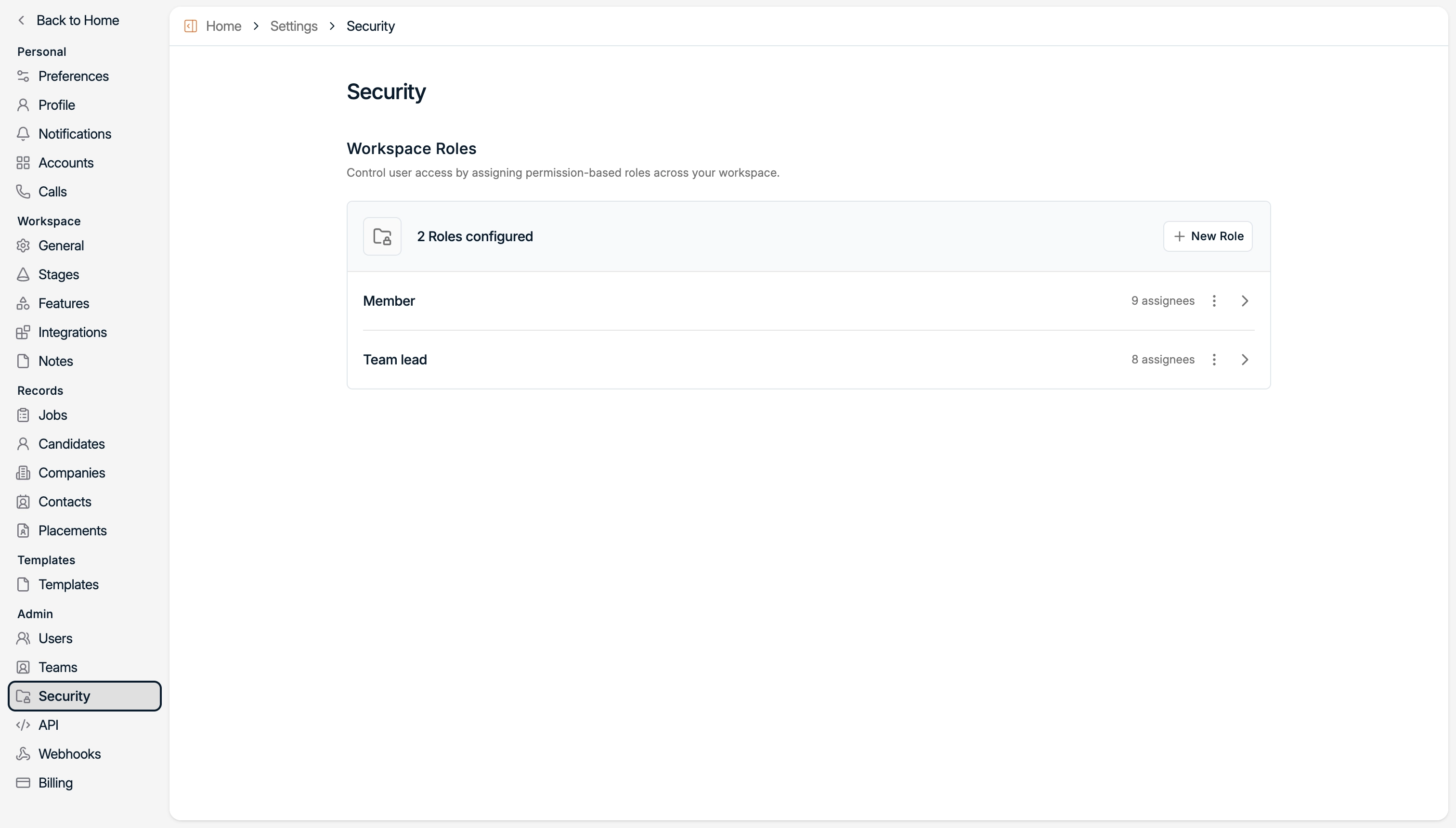
From here, you can:
Access existing roles
Create new ones
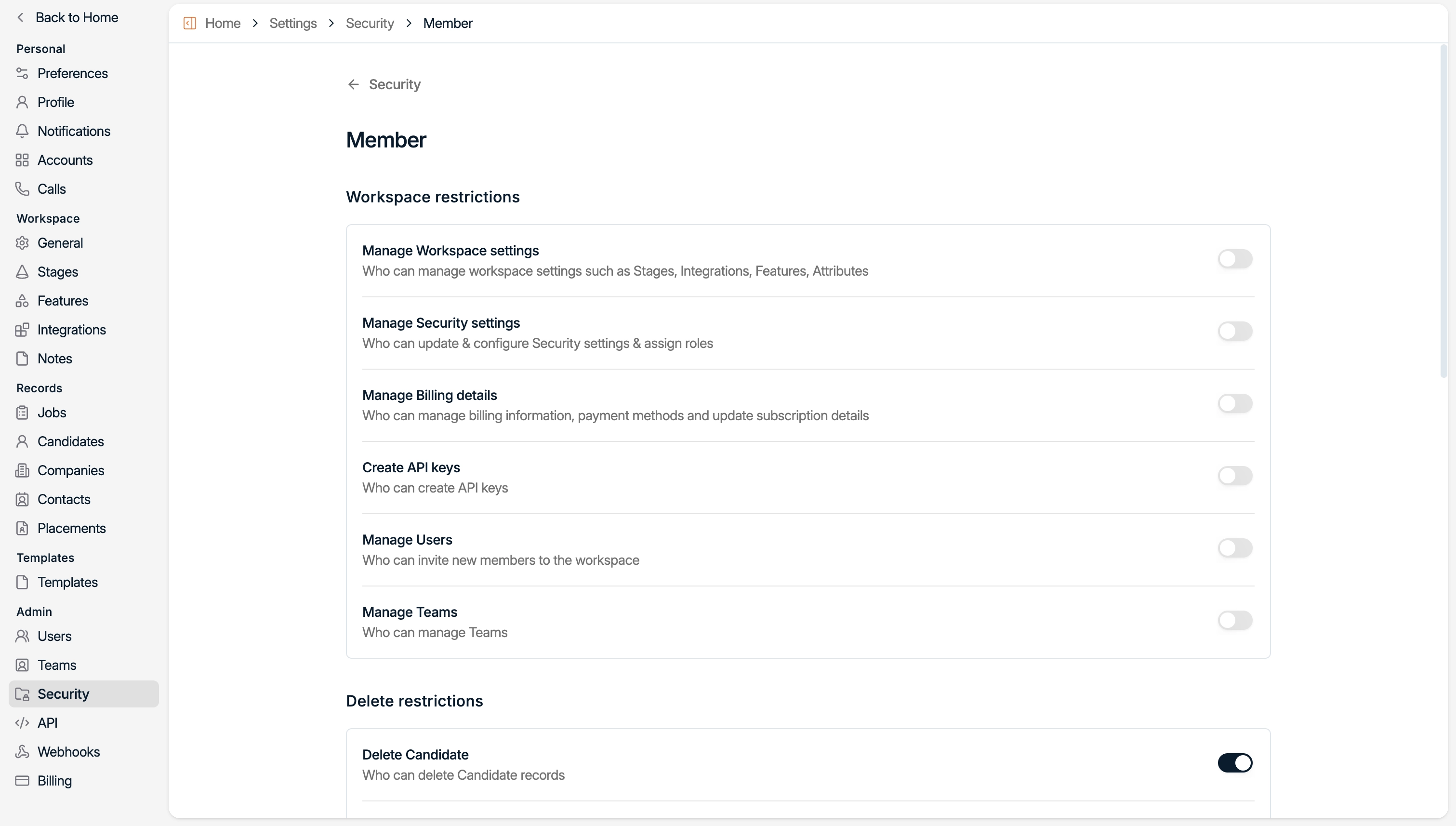
Click on a role to access it.
For each role, use the toggle to enable the features that role should have access to.
For example, you may want to grant Team Leads access to Workspace Settings (e.g., to create new fields), while restricting this access for regular members.
Assign Roles to Users
In Spott, go to Settings.
Scroll to the Admin section and click Security.
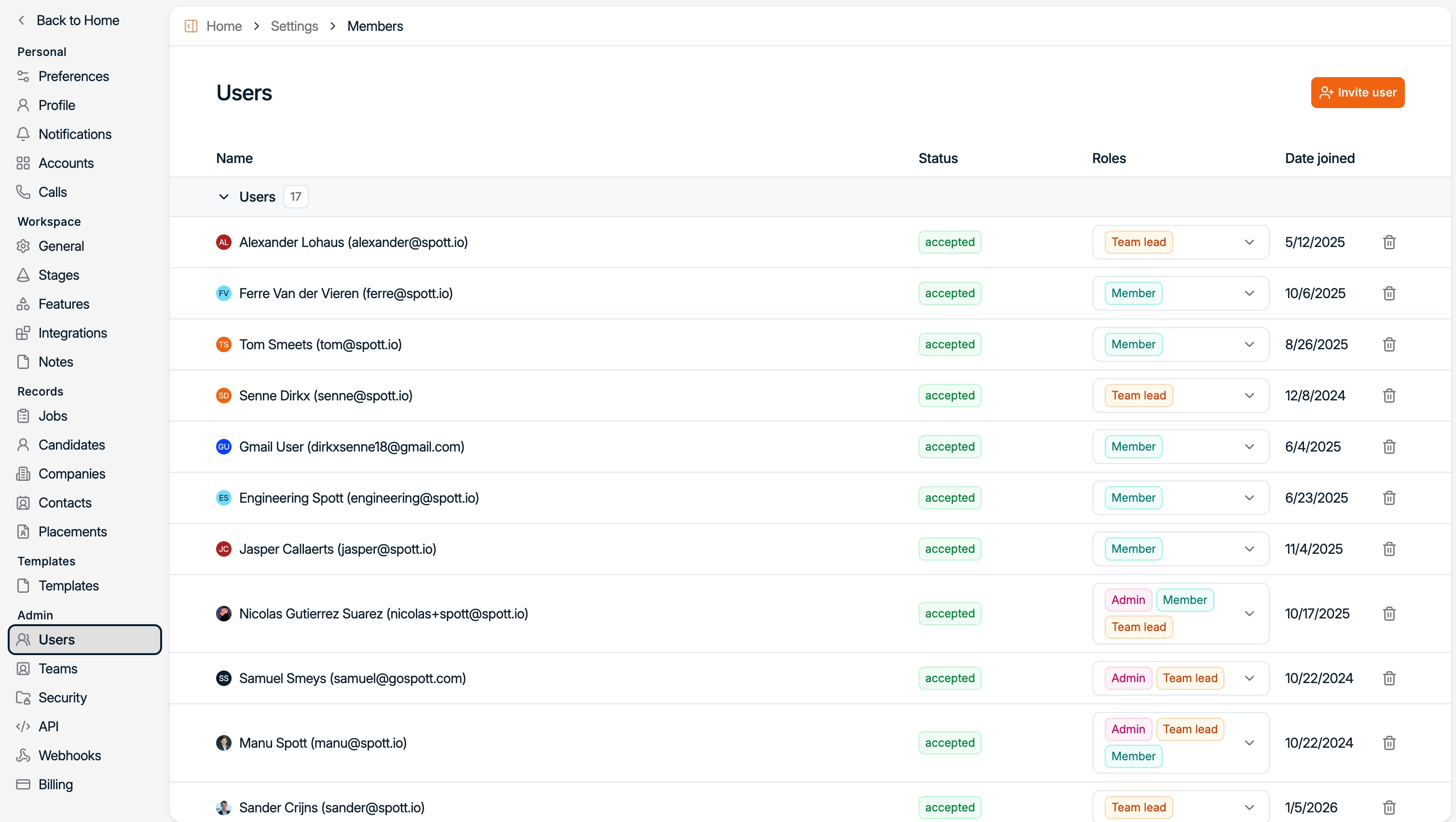
Use the dropdown to assign a role to a user, which automatically assigns them the right permissions.