How to Connect a LinkedIn Job Board post
Last updated: February 4, 2026
Learn how to link a LinkedIn job board post and how you can receive inbound applications from LinkedIn for review directly in Spott.
You can quickly navigate to this page using G then J.
Learn more about all shortcuts here.
1⃣ Make sure you have a connected email account on Spott where you can receive LinkedIn applications
Before creating a job board posting, make sure you have a connected email account that is synced with Spott:
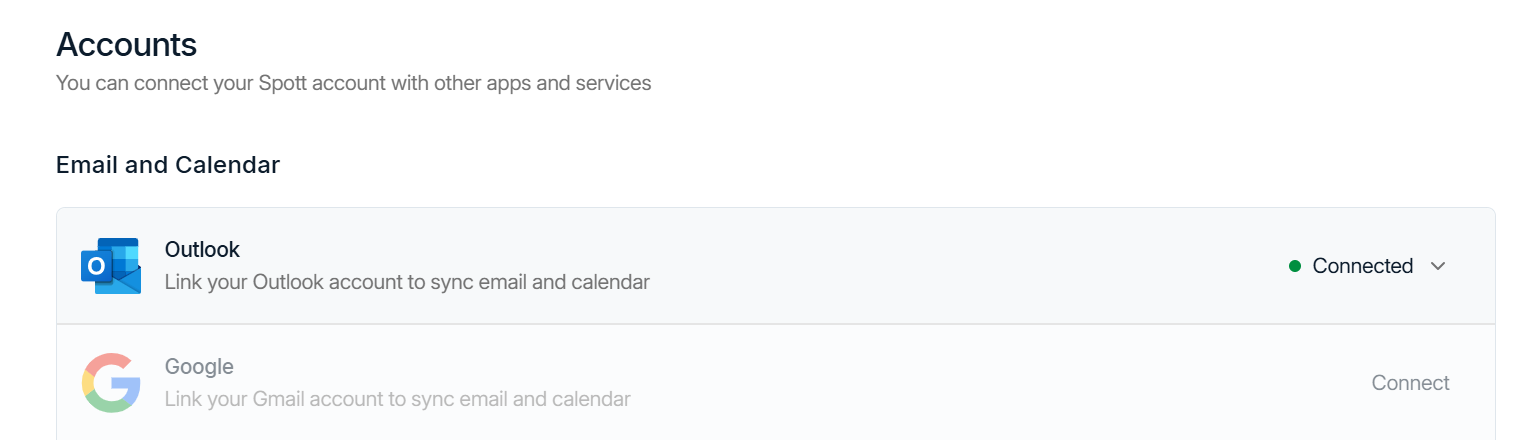
In Spott, go to Settings → Accounts.
Find the Outlook or Google integration
Make sure it is connected
If it is not connected, click Connect and follow the login prompts
2⃣ Create a Job Board post on LinkedIn
When choosing the email on which you will receive applications, make sure to enter the email account that you connected to Spott in step 1⃣
3⃣ Link your Job Board post to Spott
To link your job board advert to a Spott job:
Go to the Jobs tab
Open the relevant job
Navigate to the Advertising tab
Click + Connect to LinkedIn Job
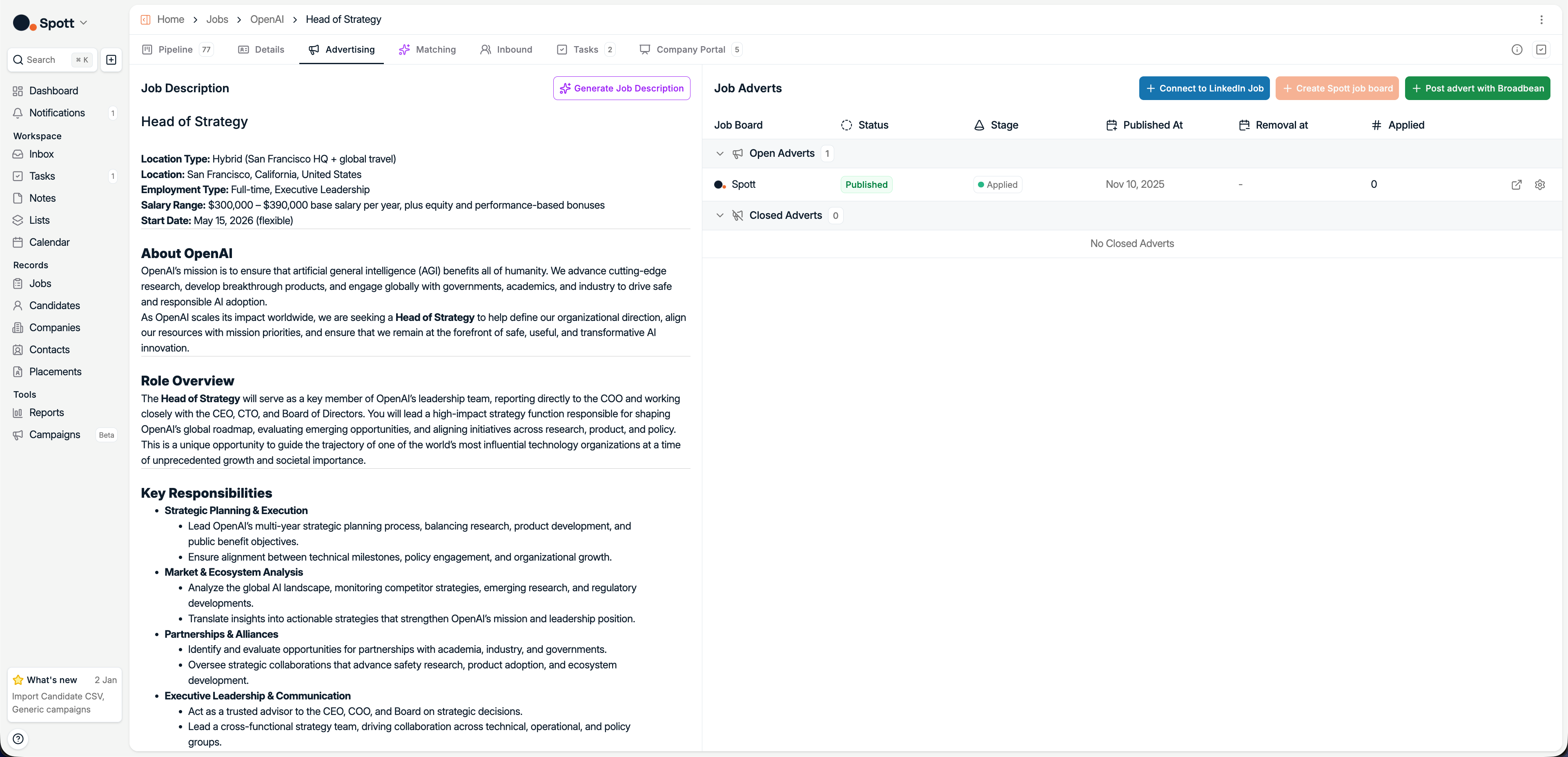
Before publishing, you must have created a LinkedIn Recruiter Project within LinkedIn Recruiter.
Once you start creating the posting in Spott, the LinkedIn job board settings will open.
Here you can configure:
Application stage, the stage where inbound applications should be added
LinkedIn Project URL, paste the URL of your LinkedIn Recruiter project
LinkedIn Application URL (optional). If the job was already public, fill in the LinkedIn application URL
Once the job board posting is published, any inbound application from the LinkedIn job posting will be automatically added to your Spott candidate database. These details are parsed from the email sent by LinkedIn. This is why we need the email you receive applications on to be synced with Spott.