Understanding Spott's Inbound Applications
Last updated: February 25, 2026
Learn how Spott captures and organizes all incoming applications directly into your ATS.
You can quickly navigate to this page using G then J.
Learn more about all shortcuts here.
Inbound Applications in Spott represent all candidates who apply through your job portal, via LinkedIn or any integrated career site through the Broadbean integration. These applications are automatically linked to the right job, enriched with candidate data, and added to your pipeline for review. This ensures no application is missed and every candidate starts their journey in the right place.
Access a job’s Inbound Candidates page
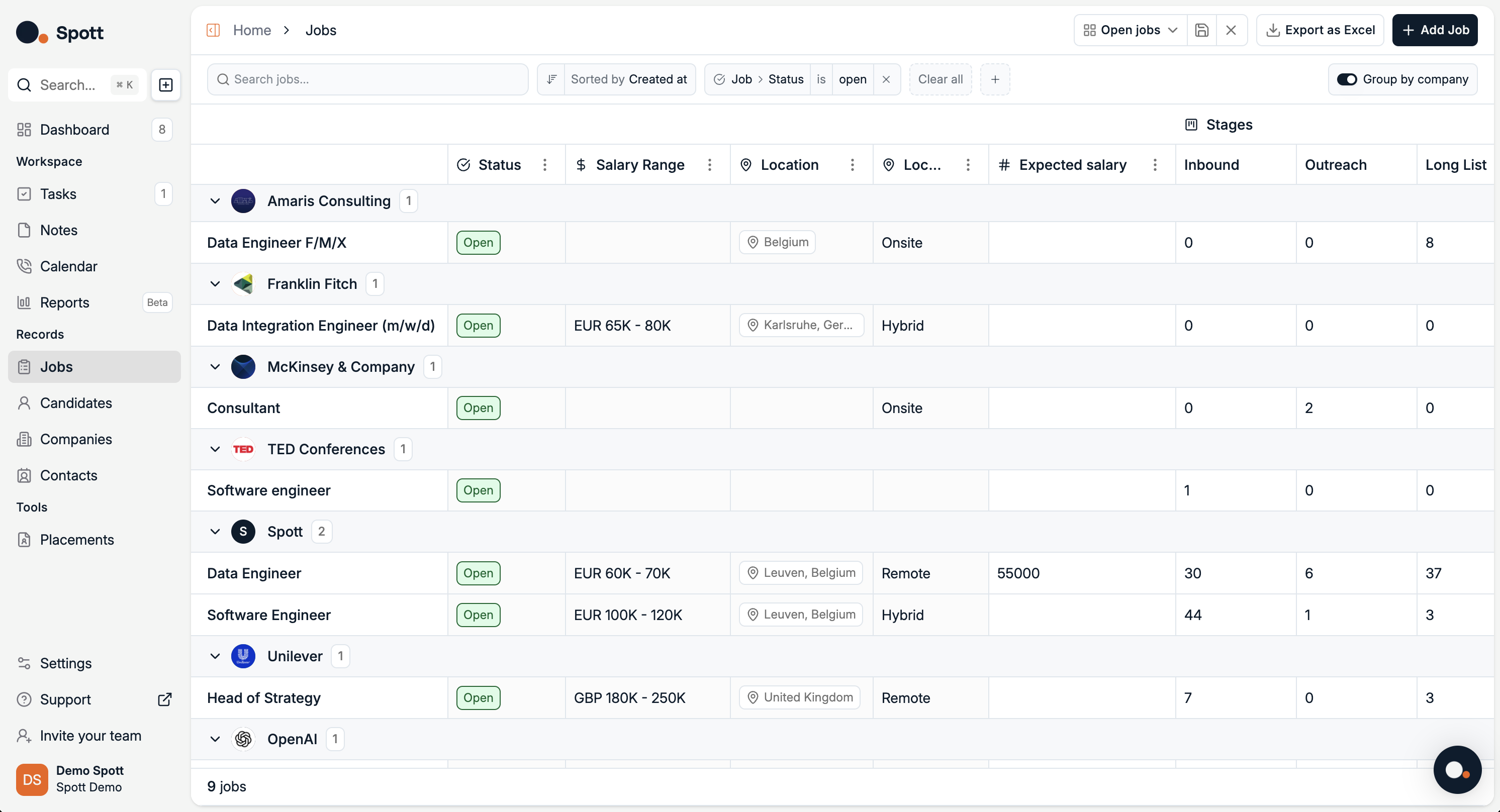
In Spott, go to Jobs.
Find the job you’re looking for. Make sure it’s under the right company or client.
Click on the job title.
Click on the Inbound tab on the top ribbon.
Inbound Candidates overview
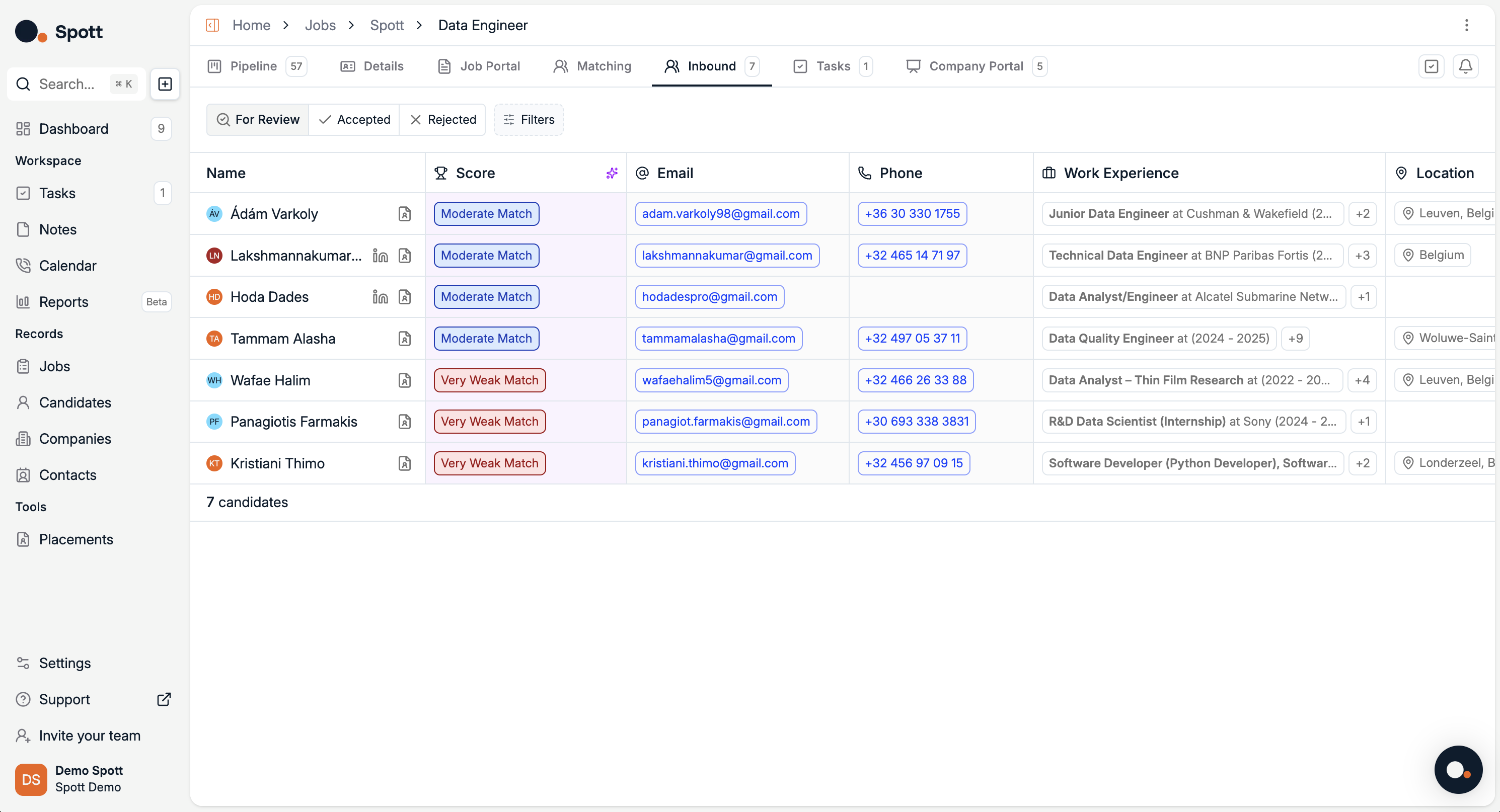
The Inbound tab collects all applications submitted via your Job Portal, LinkedIn job board postings or any other integrated career site.
Candidate list
Each row includes, among others:
Name and avatar
Match score (AI ranked: Strong Match, Moderate Match, Weak Match, etc.). Click on the score to get an explanation for the score
Email and phone
Work experience, latest roles expandable for more details
Location
Candidate status
Filter candidates by:
For Review, default list of new applicants
Accepted, moved to pipeline for further stages
Rejected, archived candidates
Workflow
Review inbound applicants and their AI generated scores
Accept top candidates to move them into your Pipeline
Reject applicants who do not meet the requirements
AI Scoring: Match scores are based on the job’s description, details, and intake notes. Providing detailed criteria in the Details tab ensures more accurate results.