Understanding Spott's Job Pipeline
Last updated: February 25, 2026
Learn how Spott visualizes every stage of a job’s pipeline, from sourcing to placement, so you can track progress and take action at the right time.
You can quickly navigate to this page using G then J.
Learn more about all shortcuts here.
A job’s Pipeline page in Spott shows all candidates linked to that role, organized by stage. It gives you a clear overview of progress and helps you manage every step of the hiring process.
Access a job’s Pipeline page
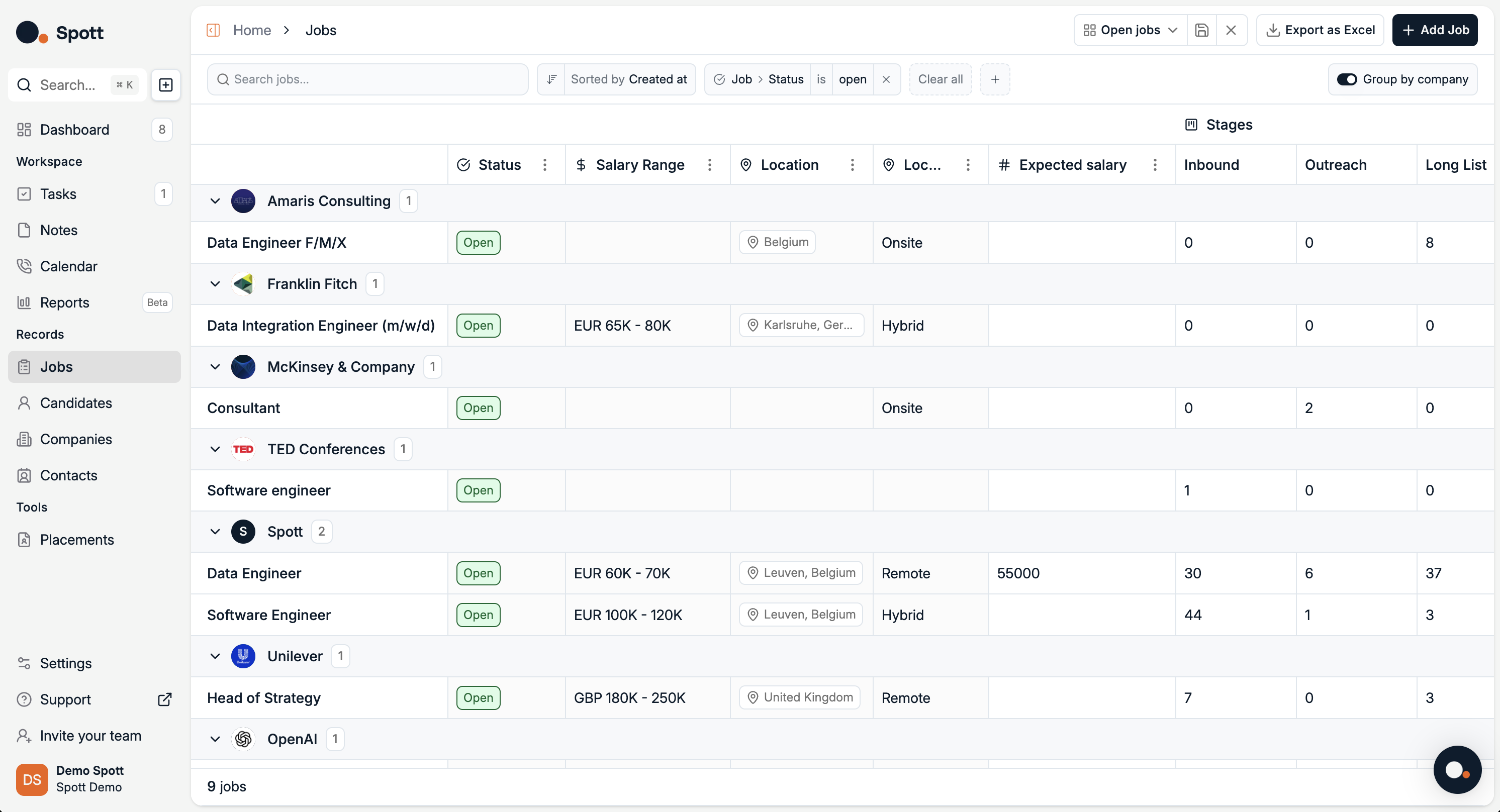
In Spott, go to Jobs.
Find the job you are looking for
Make sure it is under the correct company or client
Click on the job title
Job Pipeline overview
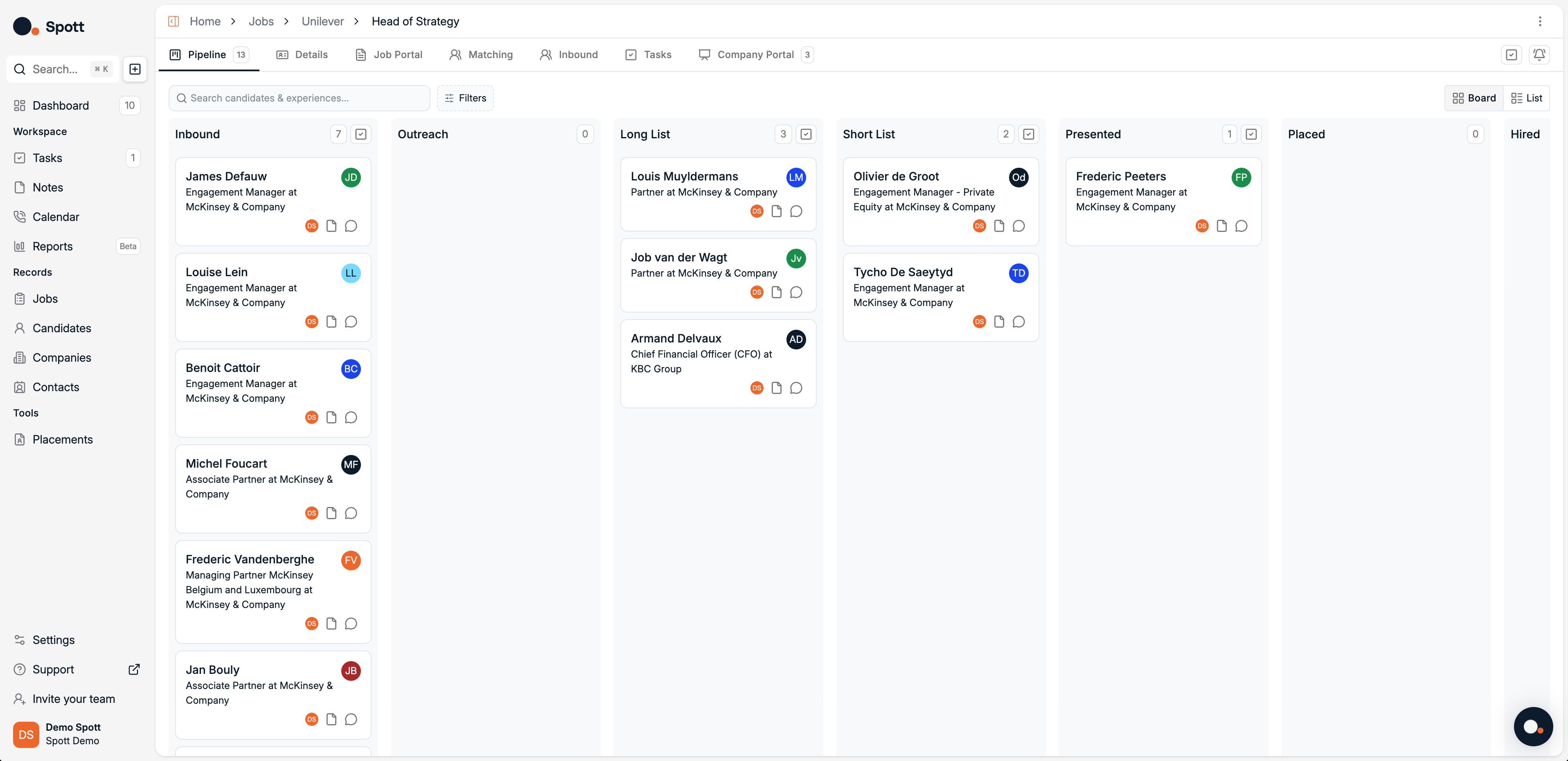
Pipelines let you track candidates across different stages of the recruitment process using either a visual board or a list view.
Pipeline stages
Candidates move through the following stages:
Inbound, applications or referrals received
Outreach, candidates you have contacted but not yet shortlisted
Long List, a broader set of potential fits
Short List, a refined selection of strong candidates
Presented, candidates shared with the client
Placed, candidate accepted an offer
Hired, final confirmation
The Pipeline Stages can be fully customized from the Settings so it fits exactly your recruitment process
Candidate cards
Each candidate appears as a card in the pipeline.
Each card includes:
Candidate name and current role
Owner or assignee
Quick actions for notes, opening CV, tasks, communications, and opening the candidate profile
You can drag and drop cards to move candidates between stages.
Views
You can switch between two views depending on how you prefer to work:
Board view, a Kanban style view with drag and drop
List view, a table style view that is sortable and filterable
Filters and search
Use the search bar or filters to quickly find candidates by name, company, or other attributes.