Understanding Spott's Job Details
Last updated: February 25, 2026
Learn how Spott organizes every job’s details into a clear, structured view for easy collaboration.
You can quickly navigate to this page using G then J.
Learn more about all shortcuts here.
A job’s Details page in Spott centralizes all key information about the role — from client and contact data to requirements, location, and compensation. It gives recruiters and team members a single source of truth to manage the hiring process efficiently. It also allows the definition of the sourcing criteria.
Access a job’s Details page
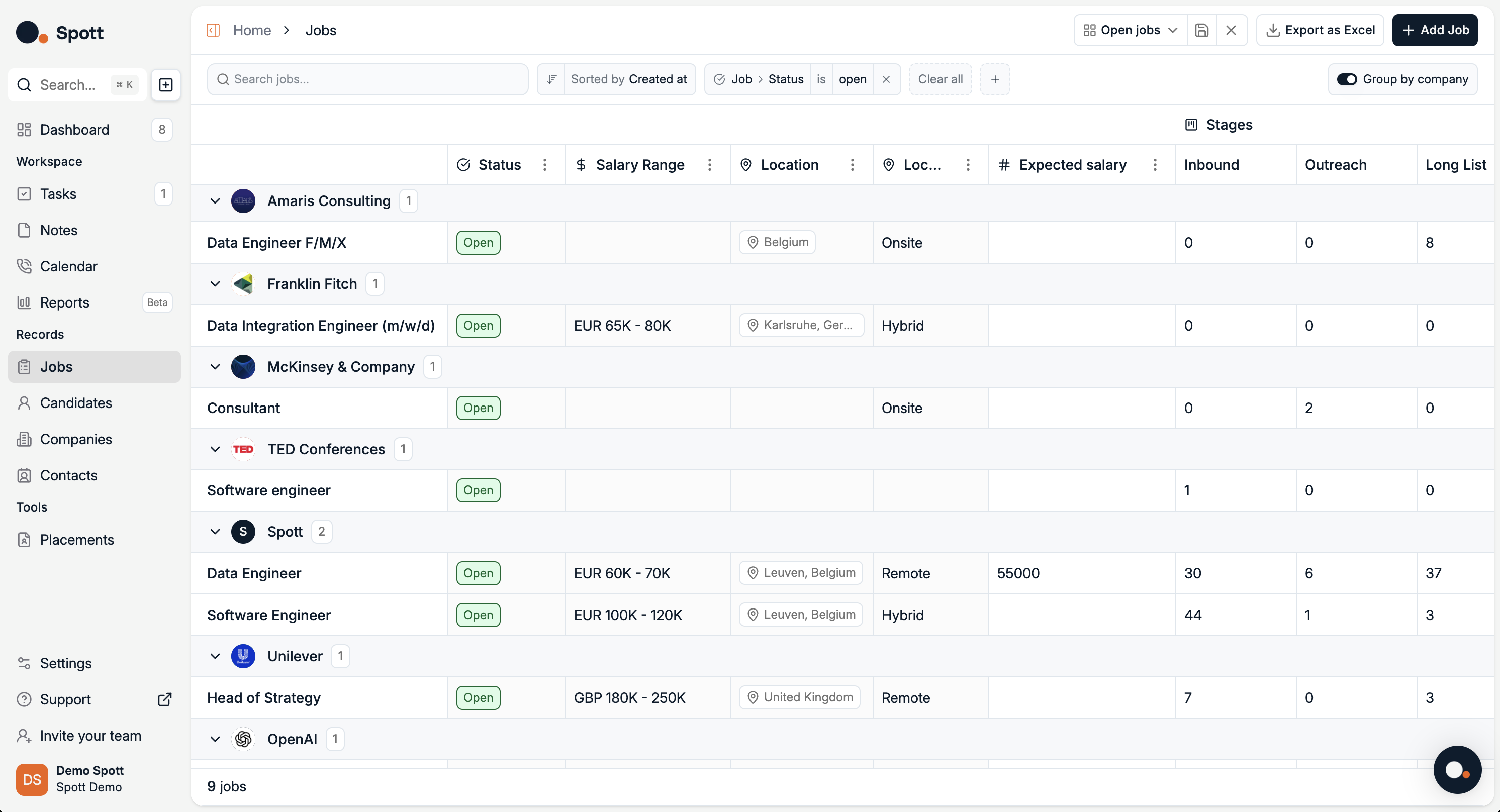
In Spott, go to Jobs.
Find the job you’re looking for. Make sure it’s under the right company or client.
Click on the job title.
Click on the Details tab on the top ribbon.
Job Details overview
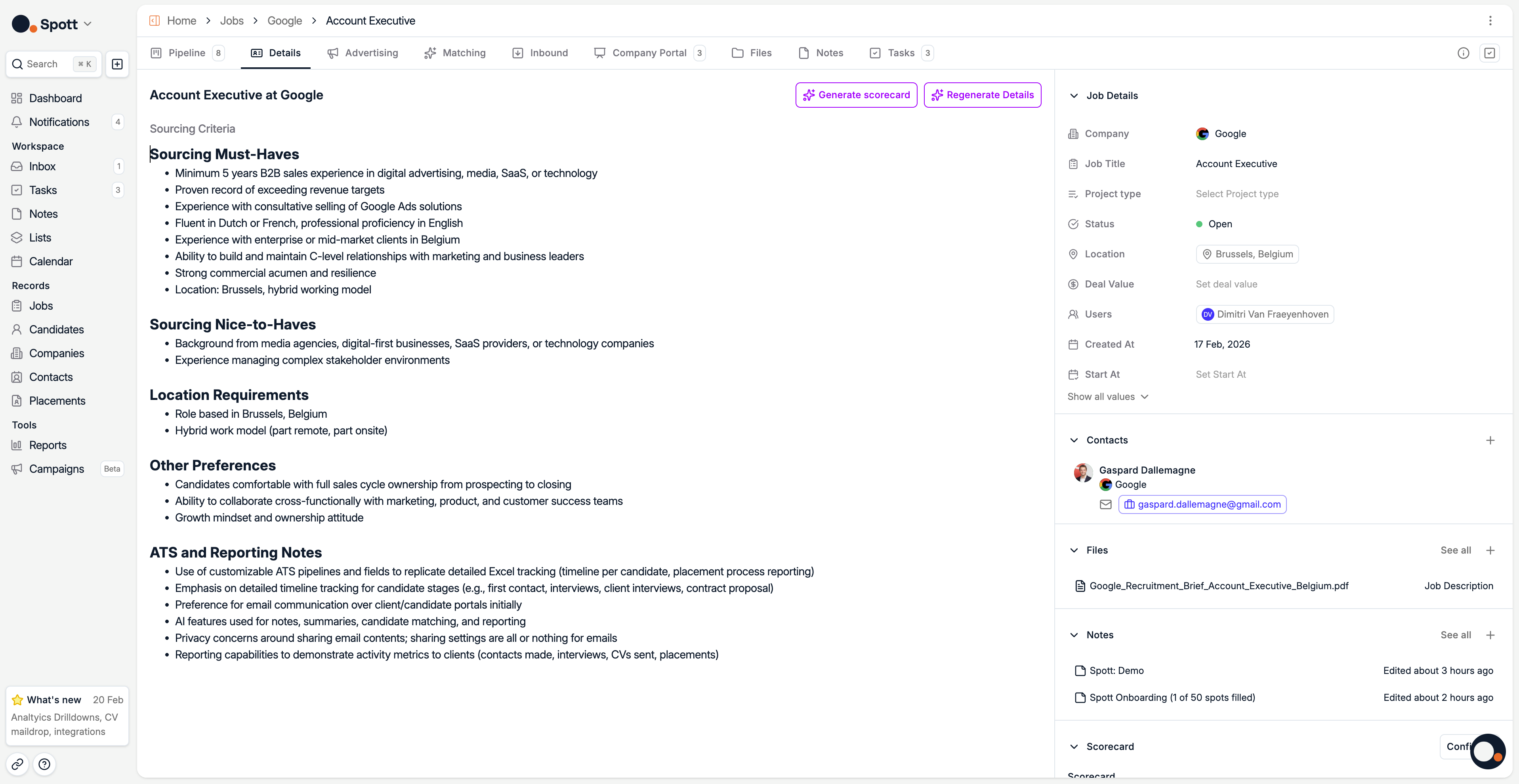
You can add sourcing criteria by:
Uploading a file – e.g. job description document
Uploading a note – from internal discussions or meetings
Typing criteria manually – enter responsibilities, requirements, and qualifications directly
Use AI to generate or summarize details
In the Details tab, you can also click Regenerate Details to:
Summarize your existing job description into a concise format
Automatically fill in missing information based on the provided content
Rewrite the description for clarity or better candidate engagement
The AI generation feature uses your provided files, notes, and typed text as context to create a complete and polished job description.
The sourcing criteria provided in the Details tab will also be used by Spott’s AI Matching tool.